09/15/2026 Eastern Time · 4 min read
How to Download TikTok Videos Online
TikTok makes it easy to share a video and awkward to keep the actual file. A share link is enough for a public video, including the short vm.tiktok.com and vt.tiktok.com links from the app.
This guide covers copying that link, saving it in a browser, and what the HD choice really does.
Quick answer. Copy the TikTok share link, paste it into the TikTok Downloader, leave HD on if you want the cleaner file, and save. A watermark stays if that is the only copy TikTok offers.
Can you download TikTok videos?
You can save a public video or a photo post. Private accounts, age-gated clips, and videos TikTok has removed will not resolve.
Download a video you created, or one you have permission to keep. The tool does not log into TikTok for you.
How to copy a TikTok video link
Avoid copying the caption. The field needs the URL.
- Open the video and tap Share.
- Tap Copy link. You can also tap the arrow and copy from the browser address bar.
- A short link is fine. The downloader follows it to the video.
How to download TikTok videos online
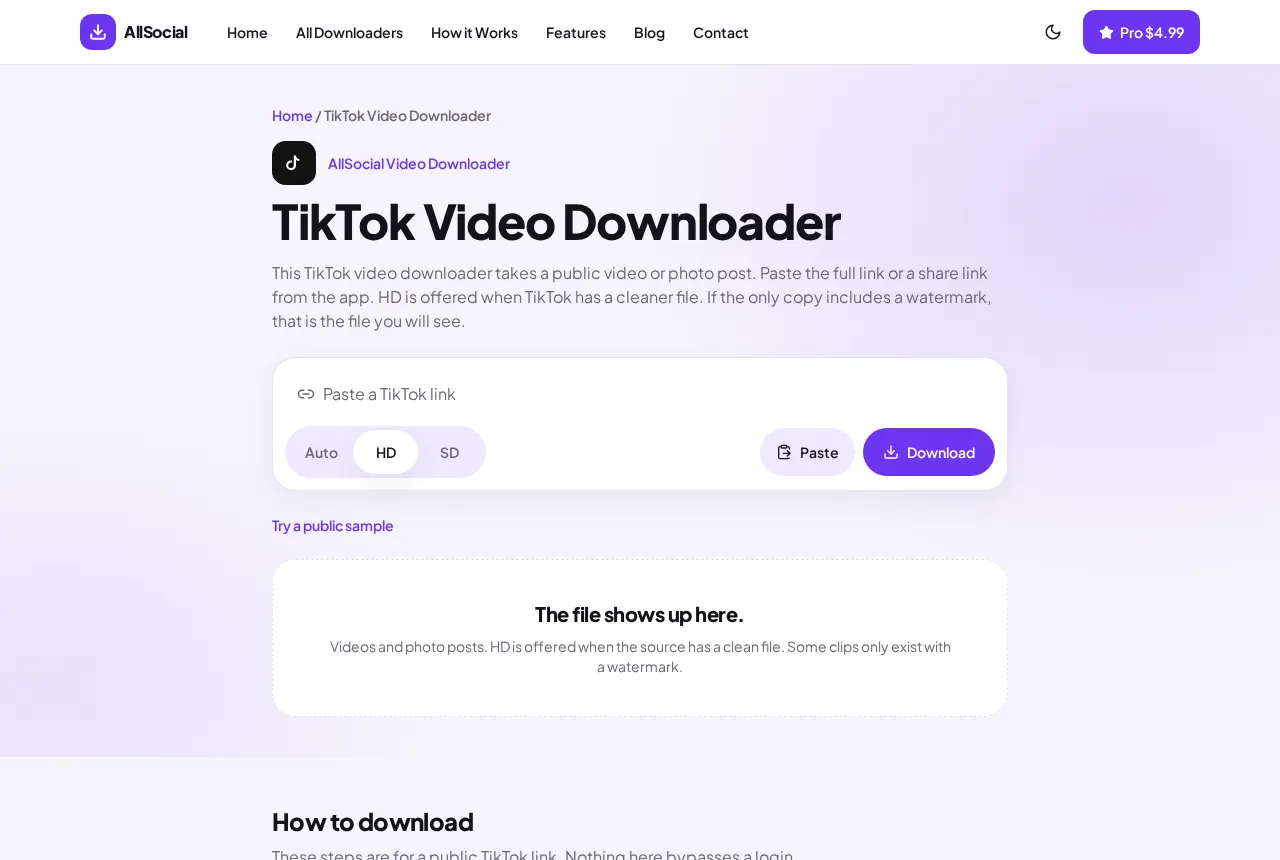
Paste the link on the TikTok Downloader and press Download. A video comes back as MP4. A photo post lists one image per slide. A soundtrack is listed on its own only when TikTok returns a separate audio file.
HD prefers the cleaner file when both exist. Standard is the regular play file and is often the one with a watermark.
How to save TikTok videos on iPhone
Copy the link in TikTok, then switch to Safari. Paste, choose HD or Standard, and tap Download.
Open the file from Files, Downloads, then use Share and Save Video. The TikTok app’s own save button is a different feature and is not required here.
How to save TikTok videos on Android
Copy the link, open Chrome, and paste it into the TikTok Downloader. After the download finishes, the MP4 is in Downloads and usually shows up in Gallery.
If you only see a picture, the post was a slideshow. Save each image from the preview.
Watermarks and available quality
HD without a watermark appears only when TikTok still has that file. Plenty of clips exist only as the watermarked version. This site does not repaint the frame or run the video through an editor.
Higher is not the same as 4K. A TikTok HD file is the best copy that post publishes, which is often 720p or 1080p.
Saving a TikTok on a computer
Paste the full video URL when you are at a desk. It looks like tiktok.com/@name/video/ and a long number. A share text from your phone often includes the caption plus the link. Delete the caption so the box contains only the URL.
After the preview loads, play a second of it. Confirm it is the clip you meant, then save. The download bar stores the MP4 next to your other browser downloads.
Photo posts are the case people misread as a failure. TikTok slideshows are images. You will see a card per picture, not a single video of the slideshow. Save the images. If a sound file is listed separately, that is optional.
HD and Standard can be the same file. When TikTok only published one rendition, both choices point at it. Check the file rather than downloading twice and hoping the second is larger.
Common download issues
A photo-mode link will not become a video. Save the images instead.
Region-locked or login-only videos fail with an error rather than a broken file.
If the short link fails, open it once in the browser and paste the full tiktok.com video URL.
Frequently asked questions
Do I need a TikTok downloader app?
No. A public video can be saved in the browser.
Is every download watermark-free?
No. You only get a clean file when TikTok provides one.
Can I save just the sound?
Only when TikTok returns a separate audio file. Otherwise the sound is inside the MP4.
Which link should I paste?
The full video URL is the surest. A share link from the app also works.
Related downloaders
Related guides
Copyright and privacy
AllSocial Video Downloader is not affiliated with Instagram, TikTok, Facebook, X, or Pinterest. Download only files you own or have permission to save. A public link is fetched for you and is not stored as a library. Copyright notices can be sent to vipusa8400@gmail.com.