09/08/2026 Eastern Time · 4 min read
How to Download Instagram Reels Without an App
People save Instagram Reels to watch later, keep a clip they made, or pull a file onto a laptop for an edit. The Instagram app is built for watching, not for handing you the video file.
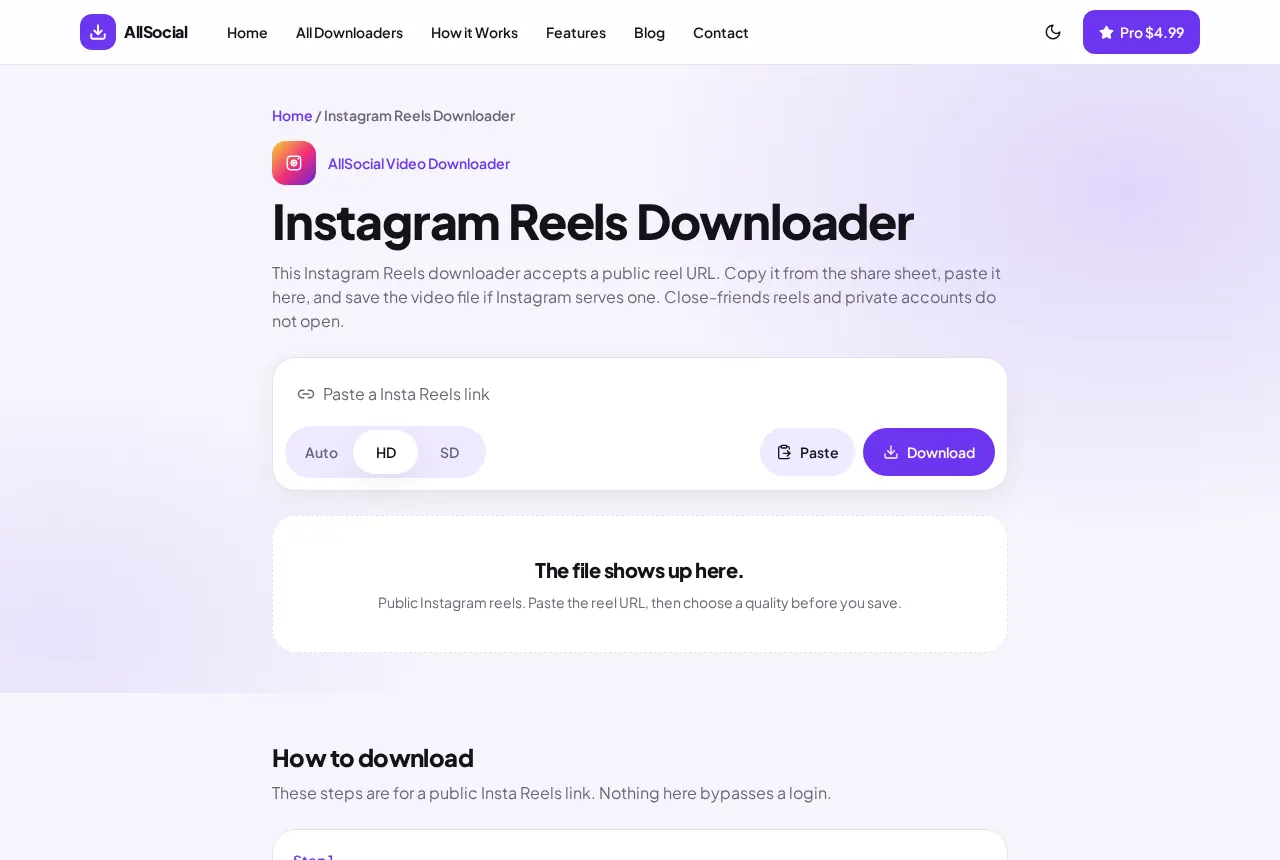
You do not need another app for a public Reel. Copy the link, open it in the browser tool on this site, and save the MP4 if Instagram serves one.
Quick answer. Copy the Reel link, paste it into the Instagram Reels Downloader, choose HD if it is listed, and save the MP4. Private and close-friends Reels will not download.
What you need before downloading
You need the Reel link and a browser. Safari, Chrome, and Firefox all work. You do not create an account here.
The Reel has to be public. If Instagram asks you to log in before the video plays, this tool cannot open it either. Save only a Reel you own or have permission to keep.
How to copy an Instagram Reel link
The share sheet is the reliable way to get a clean URL.
- Open the Reel in the Instagram app or at instagram.com.
- Tap Share, then Copy link. On desktop, copy the address from the browser bar.
- Check that the URL contains /reel/ or /reels/. A /p/ link is a post, not a Reel.
How to download Instagram Reels online
Paste the link into the Instagram Reels Downloader and press Download. The page asks Instagram for the public file. If a video comes back, you get a preview before anything is saved.
HD is selected when Instagram lists a higher file. Switch to SD if you want the smaller one. Auto uses the first file the page returns. We do not upscale a blurry Reel into a fake HD copy.
How to save Reels on iPhone
Use Safari, not the Instagram in-app browser. Paste the link, choose the quality, and tap Download.
iOS often opens the video or drops it in the Files app under Downloads. Tap Share on that file and choose Save Video to put it in Photos. If Photos is missing from the share sheet, the file may be a page instead of a video, which means the Reel did not resolve.
How to save Reels on Android
In Chrome, paste the Reel link and tap Download. When the file finishes, open the notification or the Downloads folder.
Gallery and Files both see an MP4. If Chrome warns about multiple files, allow it only if the preview listed more than one item.
Saving a Reel on a computer
On a laptop, open the Reel in a browser if you can, or copy the link from the phone and send it to yourself. Paste it on the Reels page. Chrome and Edge show the file in the download bar at the bottom. Firefox uses the downloads arrow in the toolbar.
A finished MP4 opens in the system video player. If the browser saves a file named something like download or a long Instagram code, that is normal. Play it once before you drop it into an editor.
Do not drag the preview image off the page and expect a video. That gesture saves a still. Use the Save control under the preview.
If you pasted a link and the tool offers the regular Instagram page instead, the URL was a post or a carousel. Follow that suggestion. Forcing a Reel page to parse a /p/ link is how people end up with one photo and think the rest of the set vanished.
Common download problems and fixes
A login wall means the account is private or the Reel is restricted. There is no fix on our side.
A /p/ or /stories/ link belongs on a different page. The tool will say so and offer the matching downloader.
If the preview is a still image, Instagram did not return a video file for that URL. Try the link you copied from Share, not a screenshot or a third-party wrapper.
An expired or deleted Reel fails the same way. We do not keep old copies.
Frequently asked questions
Can I download Instagram Reels without an app?
Yes. A public Reel can be saved in the browser. You do not install anything.
Will the Reel include sound?
If the MP4 from Instagram includes audio, the saved file includes it.
Can I remove the username sticker?
No. You get the file Instagram serves. We do not edit the picture.
Why did HD stay the same size as SD?
Some Reels publish one rendition. HD cannot invent a larger file.
Related downloaders
Related guides
Copyright and privacy
AllSocial Video Downloader is not affiliated with Instagram, TikTok, Facebook, X, or Pinterest. Download only files you own or have permission to save. A public link is fetched for you and is not stored as a library. Copyright notices can be sent to vipusa8400@gmail.com.